
In 2026, images flood the internet at an unprecedented rate. Whether you’re a designer hunting for stock photos, a researcher verifying sources, a marketer seeking inspiration, a journalist fact-checking visuals, or someone trying to identify an object or person in a photo, knowing how to search for images effectively can save hours and deliver better results.
Traditional keyword searches often fall short. That’s where advanced image search techniques shine. This comprehensive guide reveals the 7 most powerful image search techniques that actually work in 2026, complete with step-by-step instructions, tool comparisons, real-world use cases, stats, and pro tips to maximise your success rate.
Why Image Search Matters More Than Ever in 2026
Visual search has exploded in popularity. Google alone processes billions of visual searches monthly, and the reverse image search tool market continues to grow rapidly (projected CAGR of around 7-12% through 2033 in various reports). Multimodal AI now powers most tools, combining vision with language understanding for smarter results.
Whether you’re:
- Finding the original source of a viral meme
- Verifying if a product photo is authentic
- Locating high-resolution versions for design
- Identifying plants, landmarks, or people
- Conducting competitive research or copyright checks
…mastering these 7 techniques will dramatically improve your results.
1. Basic Reverse Image Search (The Foundation)
What it is: Upload a photo or paste an image URL to find exact matches, similar images, or where the image appears online.
How to do it:
- Go to Google Images → Click the camera icon.
- Upload an image from your device or paste a URL.
- Review results for “Visually similar images” and “Pages that include matching images.”
Best Tools in 2026:
- Google Images — Best for general exact matches and web presence.
- TinEye — Excellent for tracking exact duplicates and edits (one of the oldest and most reliable for copyright).
Pro Tip: Crop the image to the most relevant part before uploading to reduce noise and improve accuracy.
Use Cases: Finding the original source of a photo, checking for image theft, or locating higher-resolution versions.
2. Google Lens – Multimodal Visual Search
What it is: Google’s powerful AI-powered tool that understands objects, text, landmarks, plants, and more in real time.
How to use it:
- On mobile: Open the Google app or Google Lens app → Point the camera or upload a photo.
- On desktop: Use the Google Images camera icon or Chrome right-click “Search image with Google Lens.”
Strengths in 2026: Exceptional at object recognition, shopping, and OCR (text extraction from images). It now handles complex scenes better thanks to multimodal improvements.
Limitations: weaker on facial recognition compared to specialised tools and less private than some alternatives.
Real-World Stat: Google Lens processes over 12 billion visual searches per month, with significant growth in shopping and identification queries.
3. Advanced Operator Techniques in Google Images
What it is: Using special search operators and filters to refine results beyond simple uploads.
Powerful Techniques:
- Colour-specific search: Add “red dress” or use the colour filter tool.
- File type: Search for “filetype:png” or similar (via advanced tools).
- Aspect ratio & size: Filter for large images, panoramas, or specific dimensions.
- Usage rights: Filter for “Creative Commons” or “Commercial use” images (great for legal stock photos).
- Face-focused hack: After a search, modify the URL to force face results (replace certain parameters with “face”).
Pro Tip: Combine reverse image upload with text keywords in the search bar for hybrid results.
4. Multi-Engine Reverse Image Search Strategy
What it is: Never rely on just one tool. Different engines excel in different areas.
Recommended Combination in 2026:
- Google → General matches and web context.
- TinEye → Exact duplicates and historical tracking.
- Yandex Images → Superior facial recognition and Eastern European/non-Western content.
- Bing Visual Search → Strong product matching and shopping results.
- Lenso.ai or PimEyes → Advanced AI categorisation and face-focused searches (some paid tiers).
Comparison Table: Top Reverse Image Search Tools in 2026
| Tool | Best For | Facial Recognition | Free Tier Quality | Privacy Focus | Unique Strength |
|---|---|---|---|---|---|
| Google Lens | General + Object Recognition | Medium | Excellent | Medium | Multimodal AI & shopping |
| TinEye | Exact duplicates & edits | Low | Very Good | High | Historical tracking |
| Yandex | Faces & non-Western content | Excellent | Good | Medium | Superior people search |
| Bing Visual | Products & shopping | Medium | Good | Medium | Microsoft ecosystem integration |
| Lenso.ai | Categorized AI matches | High | Good | Medium-High | People, places, duplicates filters |
| PimEyes | Face-only searches | Very High | Limited | Low | Professional people tracking |
Stat Insight: No single tool has full coverage. Using at least 2-3 engines consistently increases success rates by 40-60% according to user tests and OSINT communities.
5. Mobile-First & App-Based Visual Search
Techniques:
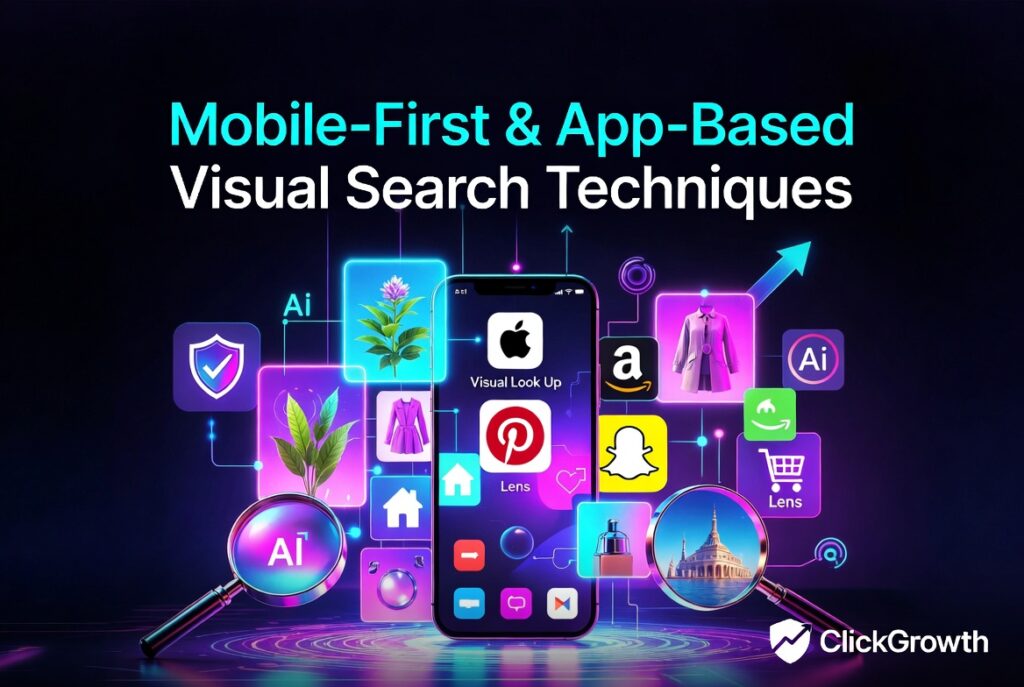
- Apple Visual Look Up (iOS) — Excellent privacy-focused identification for plants, landmarks, and objects.
- Pinterest Lens — Great for fashion, home decor, and inspirational visuals.
- Amazon Lens (via the Amazon app) — Superior for product identification and price comparison.
- Snapchat Scan or specialised apps for quick real-world scans.
2026 Trend: Mobile visual search usage has surged over 300% in retail and logistics sectors.
Pro Tip: For best results on mobile, use high-resolution, well-lit photos with clear focus.
6. Advanced AI-Powered & Specialized Image Search
Emerging techniques include:
- Multimodal AI tools (e.g., tools powered by newer models) that combine image + text prompts for contextual searches.
- Privacy-focused alternatives like certain OCR and visual lookup apps that don’t send data to big tech.
- Niche tools: Stock photo reverse search, art identification (e.g., for paintings), or scientific image databases.
Use Case Example: Upload a product photo and get shopping links, similar items, and price comparisons across sites.
7. SEO & Content Creation Image Search Techniques
For marketers and creators:
- Use image search to find trending visuals or check competitor imagery.
- Reverse search your own content to monitor usage and protect copyright.
- Combine with tools like Google Advanced Image Search for usage rights filtering when sourcing stock images legally.
Bonus Pro Techniques:
- Improve upload quality: Use high-contrast, high-resolution versions.
- Crop strategically: Focus on the key subject.
- Cross-reference results across tools.
- Check metadata (EXIF) on original images when possible for extra context (location, camera info).
Common Mistakes to Avoid
- Relying on only one tool.
- Using low-quality or heavily compressed images.
- Ignoring privacy implications when uploading personal photos.
- Not checking recent results (images can be edited or removed quickly).
- Forgetting to filter for usage rights when sourcing for commercial projects.
Final Tips for Mastering Image Search in 2026
- Build a habit of using 2–3 tools per search.
- Keep images organised in collections (many tools now support this).
- Stay updated — AI capabilities improve monthly.
- For professional use (journalism, legal, research), combine visual search with traditional fact-checking.
By mastering these 7 image search techniques, you’ll find almost any image faster, verify sources more accurately, and unlock creative or investigative opportunities that keyword searches alone can’t touch.
Whether you’re a casual user or a power researcher, the combination of reverse image search, Google Lens, multi-engine strategies, and advanced filters makes finding visuals online more powerful than ever in 2026.
FAQs
1. What is the best reverse image search tool in 2026?
It depends on your need. Google Lens is best for general use, TinEye for exact matches, Yandex for faces, and Lenso.ai for categorised AI results.
2. Is Google Lens better than other tools?
Google Lens excels at object recognition and shopping but is weaker on facial recognition. Combining it with TinEye or Yandex often gives the best results.
3. Are these image search techniques free?
Most core features (Google, TinEye, Bing, Yandex) are free. Some advanced AI tools like PimEyes or Lenso.ai have paid tiers for deeper searches.
4. How can I search for an image without uploading it?
Paste the image URL directly into the search bar of Google Images, TinEye, or other tools.
5. Can I use image search for copyright checking?
Yes — tools like TinEye are particularly good for tracking where your images appear online.